[Python] GPT Function call 활용
Posted by Albert 88Day 14Hour 55Min 39Sec ago [2025-11-10]
신기하게 GPT깡통으로 실행시 현재시간을 물어보면 현재시간을 알수없다고한다.
왜냐면 GPT는 학습을 종료한 시점에 잠들었다가 사용자가 API를 통해호출될 때마다 깨어나 답변하므로 현재 시간이 몇시인지 현재 날씨가 어떤지
등등 최신정보는 답해줄 수 없다.
이러한 GPT의 한계를 극복하기 위해 GPT Function Calling기능을 통해 더 똑똑한 GPT 서비스를 제공할수있다.
간단히 현재 시간을 제공하는 function 만들고 특정 시간관련 문의가 GPT에게 들어왔을시 GPT가 해당 function을 활용하여 현재시간을 알수있게 하는거다
현재시간을 리턴하는 function
from datetime import datetime
import pytz

def get_current_time(timezone: str = 'Asia/Seoul'):
    tz = pytz.timezone(timezone) ' 타임존 설정
    now = datetime.now(tz).strftime("%Y-%m-%d %H:%M:%S")
    now_timezone = f'{now} {timezone}'
    print(now_timezone)
    return now_timezone


tools = [
    {
        "type": "function",
        "function": {
            "name": "get_current_time",
            "description": "해당 타임존의 날짜와 시간을 반환합니다.",
            "parameters": {
                "type": "object",
                "properties": {
                    'timezone': {
                        'type': 'string',
                        'description': '현재 날짜와 시간을 반환할 타임존을 입력하세요. (예: Asia/Seoul)',
                    },
                },
                "required": ['timezone'],
            },
        }
    },
]


if __name__ == '__main__':
    get_current_time('America/New_York')
위 Function 활용
from gpt_functions import get_current_time, tools
from openai import OpenAI
from dotenv import load_dotenv
import os
import json
import streamlit as st

load_dotenv()
api_key = os.getenv("OPENAI_API_KEY")  ' 환경 변수에서 API 키 가져오기

client = OpenAI(api_key=api_key)  ' 오픈AI 클라이언트의 인스턴스 생성

def get_ai_response(messages, tools=None):
    response = client.chat.completions.create(
        model="gpt-4o",  ' 응답 생성에 사용할 모델 지정
        messages=messages,  ' 대화 기록을 입력으로 전달
        tools=tools,  ' 사용 가능한 도구 목록 전달
    )
    return response  ' 생성된 응답 내용 반환

st.title("Chatbot")

if "messages" not in st.session_state:
    st.session_state["messages"] = [
        {"role": "system", "content": "너는 사용자를 도와주는 상담사야."},  ' 초기 시스템 메시지
    ]

for msg in st.session_state.messages:
    if msg["role"] == "assistant" or msg["role"] == "user": ' assistant 혹은 user 메시지인 경우만
        st.chat_message(msg["role"]).write(msg["content"])


if user_input := st.chat_input():    ' ① 사용자 입력 받기
    st.session_state.messages.append({"role": "user", "content": user_input})  ' ① 사용자 메시지를 대화 기록에 추가
    st.chat_message("user").write(user_input)  ' ① 사용자 메시지를 브라우저에서도 출력

    ai_response = get_ai_response(st.session_state.messages, tools=tools)
    ai_message = ai_response.choices[0].message
    print(ai_message)  ' ③ gpt에서 반환되는 값을 파악하기 위해 임시로 추가

    tool_calls = ai_message.tool_calls  ' AI 응답에 포함된 tool_calls를 가져옵니다.
    if tool_calls:  ' tool_calls가 있는 경우
        for tool_call in tool_calls:
            tool_name = tool_call.function.name ' 실행해야한다고 판단한 함수명 받기
            tool_call_id = tool_call.id         ' tool_call 아이디 받기
            arguments = json.loads(tool_call.function.arguments) ' (1) 문자열을 딕셔너리로 변환

            if tool_name == "get_current_time":  ' ⑤ 만약 tool_name이 "get_current_time"이라면
                st.session_state.messages.append({
                    "role": "function",  ' role을 "function"으로 설정
                    "tool_call_id": tool_call_id,
                    "name": tool_name,
                    "content": get_current_time(timezone=arguments['timezone']),  ' 타임존 추가
                })
        st.session_state.messages.append({"role": "system", "content": "이제 주어진 결과를 바탕으로 답변할 차례다."})
        ai_response = get_ai_response(st.session_state.messages, tools=tools) ' 다시 GPT 응답 받기
        ai_message = ai_response.choices[0].message

    st.session_state.messages.append({
        "role": "assistant",
        "content": ai_message.content
    })  ' ③ AI 응답을 대화 기록에 추가합니다.

    print("AI\t: " + ai_message.content)  ' AI 응답 출력
    st.chat_message("assistant").write(ai_message.content)  ' 브라우저에 메시지 출력
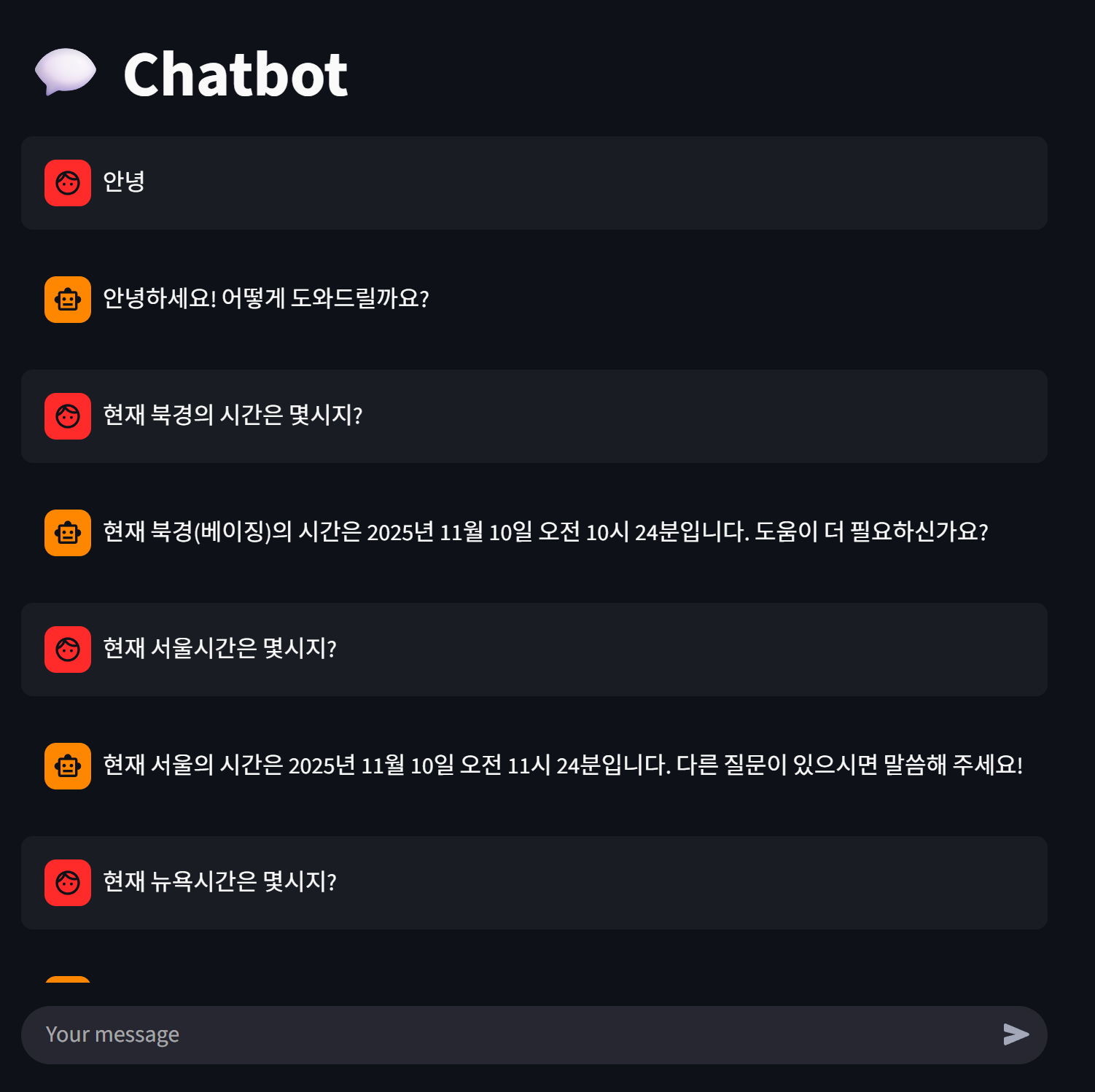
결과